Check prices and modifiers while hovering an item.
poe2way desktop
Your PoE2 tools.
Right by your side.
Item prices, stash tracking and market searches alongside your game. Your desktop companion for Path of Exile 2.
Open this page on your Windows PC to install the app.
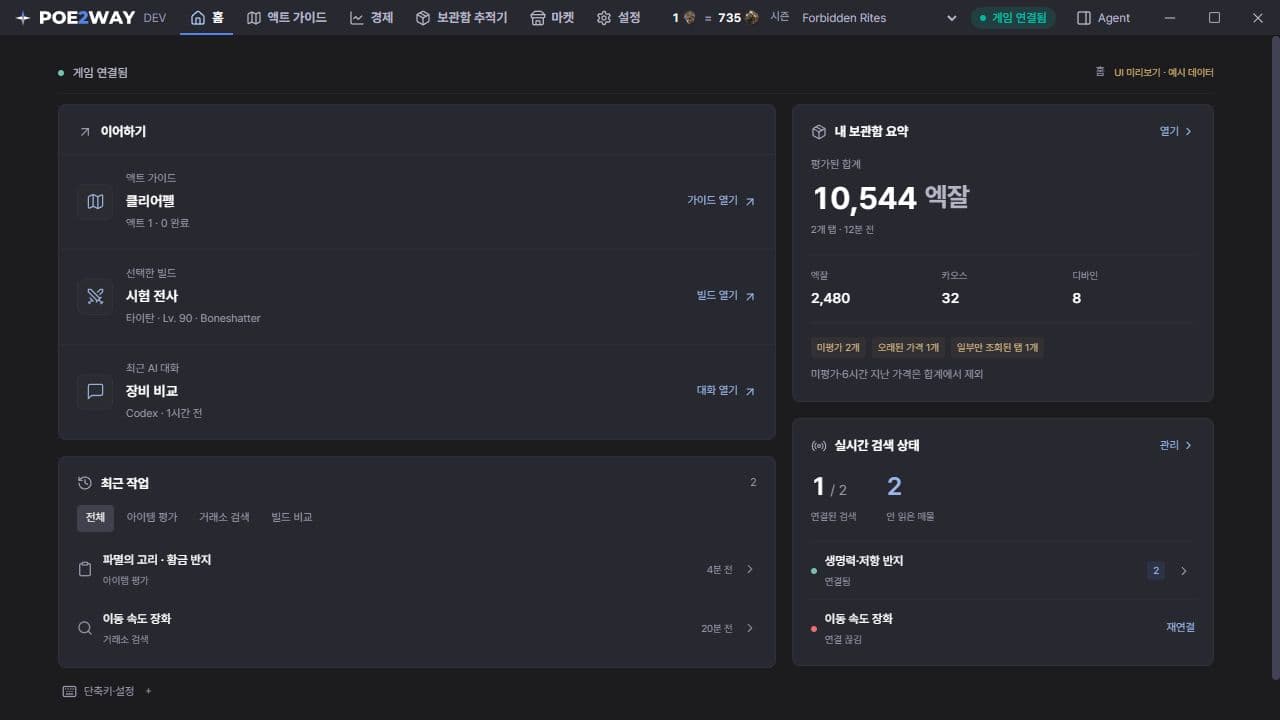
Stash tracker
Alt+TSee items and estimated values across your public tabs.
Market & live search
Alt+MSave searches and keep up with new listings.
Install. Open. Play.
Three steps to get started.
- 1
Run the installer
Download the Windows installer and follow the installation steps.
- 2
Open the game and the app
Use Windowed Fullscreen in PoE2. The app stays available in your system tray.
- 3
Hover an item and press Alt + E
Hover an item to open its price check. Press F9 to open settings and customize your shortcuts.
Latest update
v0.3.12목표 옵션에 맞는 제작 방법의 성공률과 예상 재화 비용을 자동으로 비교합니다. 직접 제작할 때 선택한 재화는 비교 결과에 영향을 주지 않으며, 신성한 오브는 기존 옵션의 수치 재설정에 활용할 수 있을 때 표시됩니다. 모디파이어 목록을 제외한 제작 화면의 내부 스크롤을 제거했습니다.
설치 파일의 업데이트 서명과 SHA-256을 함께 제공합니다.
Before you install
Which systems are supported?
The desktop app is available for Windows x64. There are no macOS or Linux installers.
Do I need to connect a trade account?
Live search and instant-buy travel need a connected trade account. Connect it in Settings → Account.
How do I get updates?
Check Settings → About & updates in the app. The download button on this page also points to the current release. Your settings are kept when you update.