Hover an item for its price and modifier tiers. Link Path of Building to see how your DPS, life and resistances would change.
poe2way desktop
Prices, guides, crafting.
Right over your game.
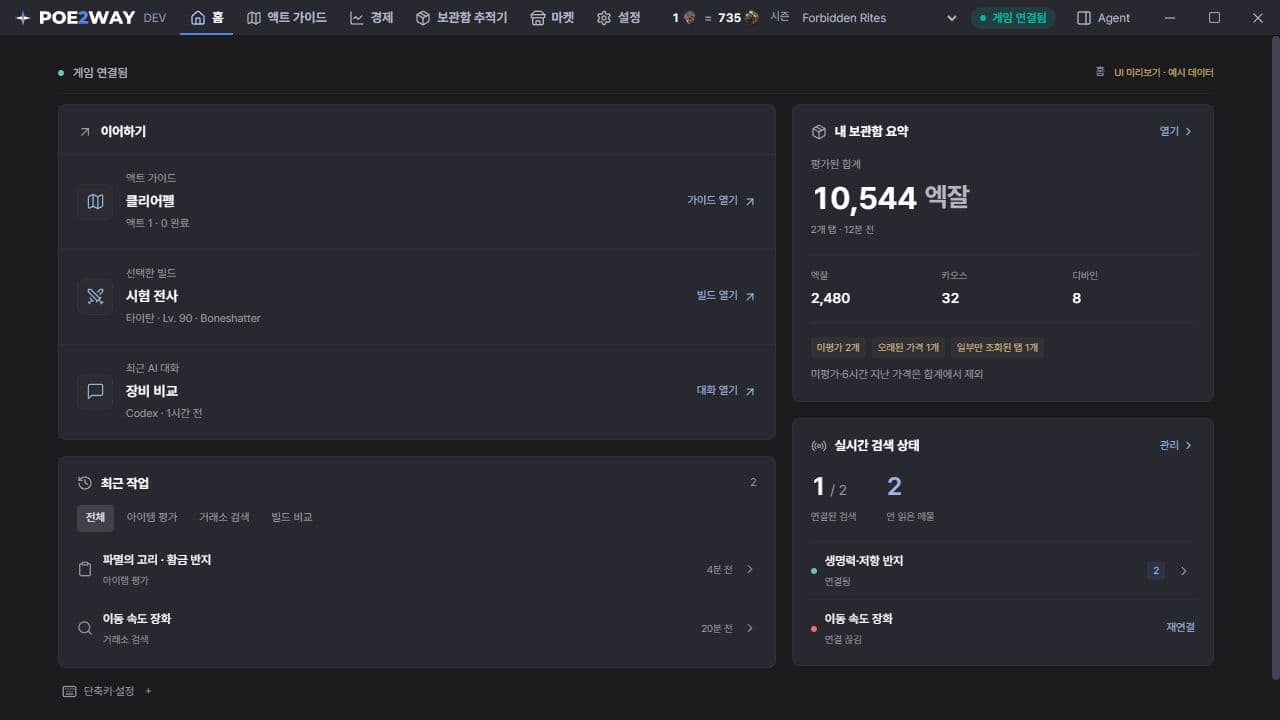
Item prices, act and map guides, stash value, new listings, crafting odds and an AI Agent — each a hotkey away while you play Path of Exile 2.
Open this page on your Windows PC to install the app.
Act & map guide
Alt+GShows the guide and terrain map for the area you are in. In Atlas maps it tells you the biome, the boss and the resistances to bring.
Stash tracker
Alt+TRecords the value of your public stash tabs automatically and compares it over time in a graph.
Market & live search
Alt+MSave trade searches and get notified of new listings. For instant buyouts, Ctrl+End takes you to the seller's hideout.
Crafting workbench
Set the modifiers you want and compare each crafting method's success rate and expected cost.
AI Agent
Alt+VAsk about prices, guides, maps or crafting by voice or text, and it answers from poe2way data.
PoB AI
Tune your PoB build with AI.
Analyze your build with POE2WAY AI, Claude Code, Codex or Antigravity. Compare skill, item and passive changes using Path of Building's calculations.
POE2WAY AI requires a signed-in POE2WAY Premium account. External agents use their own installed CLI and account.
Download PoB AI
v0.3.257.1 MBWindows x64 · ZIP
Extract the ZIP, then run PoB AI.exe. On first launch, connect your existing PoB or install it from the app.
Setup & release notesInstall poe2way desktop
Three steps to get started.
- 1
Run the installer
Download the Windows installer and follow the installation steps.
- 2
Open the game and the app
Use Windowed Fullscreen in PoE2. The app stays available in your system tray.
- 3
Open tools with a hotkey
Hover an item and press Alt+E, or press Alt+G for the area guide. Change any shortcut in Settings (F9).
Latest update
v0.4.14즐겨찾기 실시간 검색으로 받은 새 매물도 옵션 시세 분석 자료로 쓸 수 있게 했습니다. 이미 받은 매물만 쓰고 거래소 요청은 늘지 않으며, 수집 안내에 실시간 검색을 추가해 한 번 다시 알려 드립니다. 설정에서 언제든 끌 수 있습니다.
설치 파일의 업데이트 서명과 SHA-256을 함께 제공합니다.
Before you install
Which systems are supported?
The desktop app is available for Windows x64. There are no macOS or Linux installers.
Windows shows a warning when I install
The installer is not code-signed yet, so Windows SmartScreen may warn you the first time. Choose More info → Run anyway.
Do I need to connect a trade account?
Only for live search and travelling to a seller's hideout. Price checks, stash tracking and guides work without signing in. Connect it in Settings → Account; your session stays encrypted on this PC and is never sent to poe2way.
What does the AI Agent need?
Install Claude Code or Codex on your PC and sign in. The app opens conversations through that tool, so usage counts toward that service's account.
How do I get updates?
Check Settings → About & updates in the app. The download button on this page also points to the current release. Your settings are kept when you update.